Rebill uses a passwordless login — instead of a password, we send a one-time code to your email each time you log in. This is more secure and means you never have to remember a password.
- 1
Go to the Rebill app
Open your browser and go to app.rebill.co.za. You'll see the login page.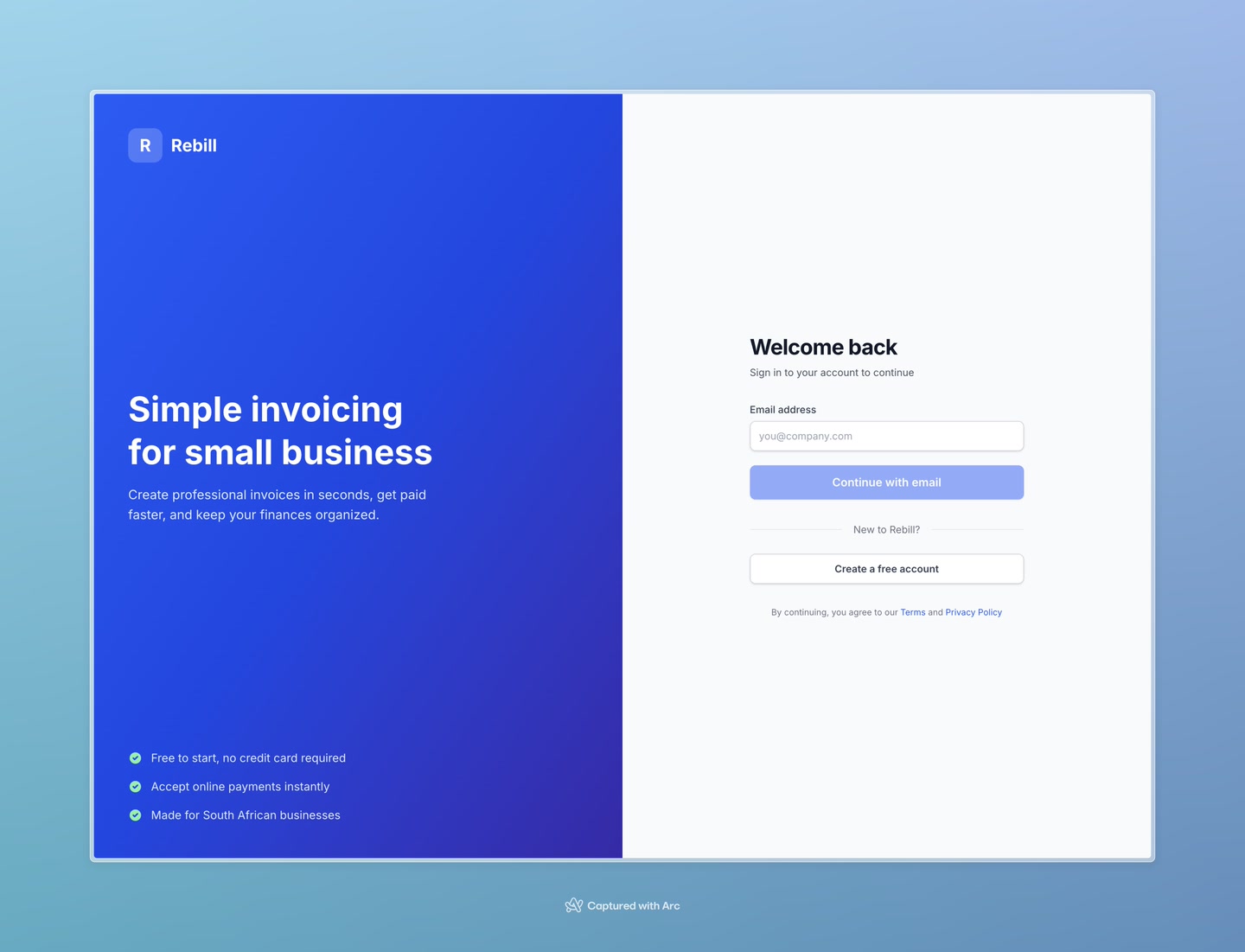
- 2
Enter your email address
Type the email address you used when you created your account, then click "Continue with email".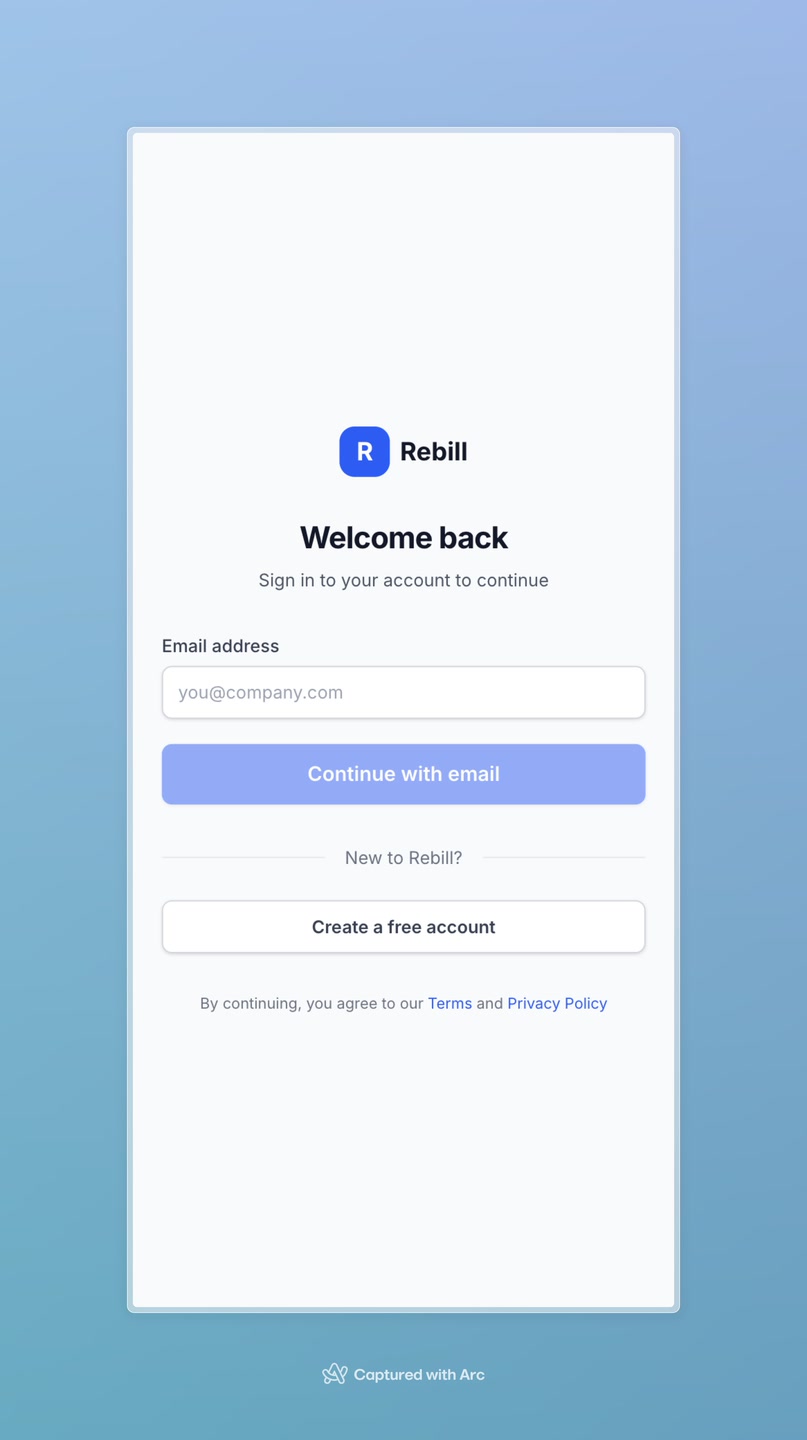
- 3
Check your email
A 6-digit code will be sent to your email. Open your inbox and find the email from Rebill.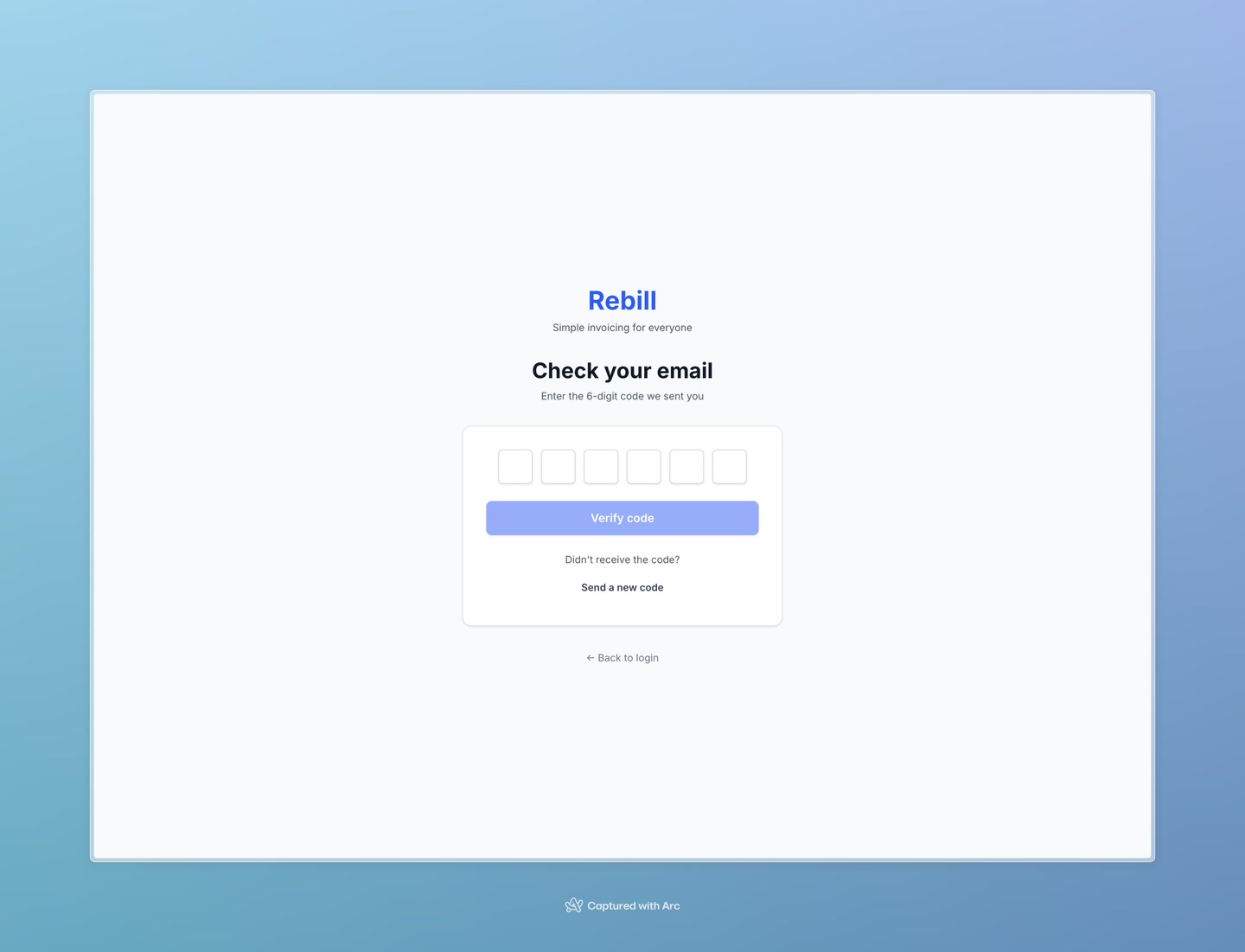
- 4
Enter the code
Type the 6 digits into the boxes and click "Verify code". You'll be logged in immediately.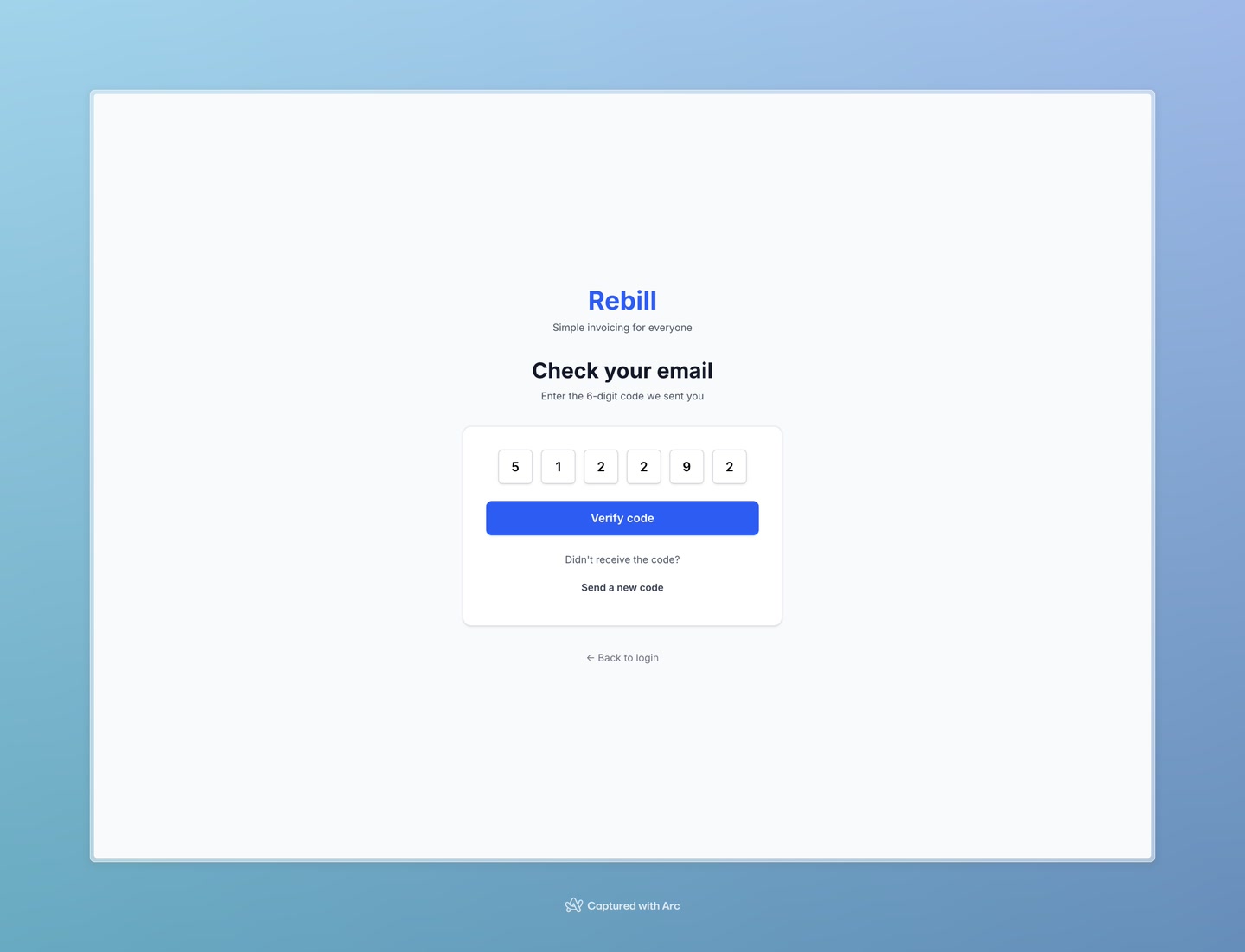
Code not arriving?
Check your spam or junk folder. If it's still not there after a couple of minutes, click "Send a new code" on the verification page to request a fresh one.Codes expire quickly
Each verification code is only valid for a few minutes. If you wait too long, the code will no longer work — simply click "Send a new code" to get a new one.