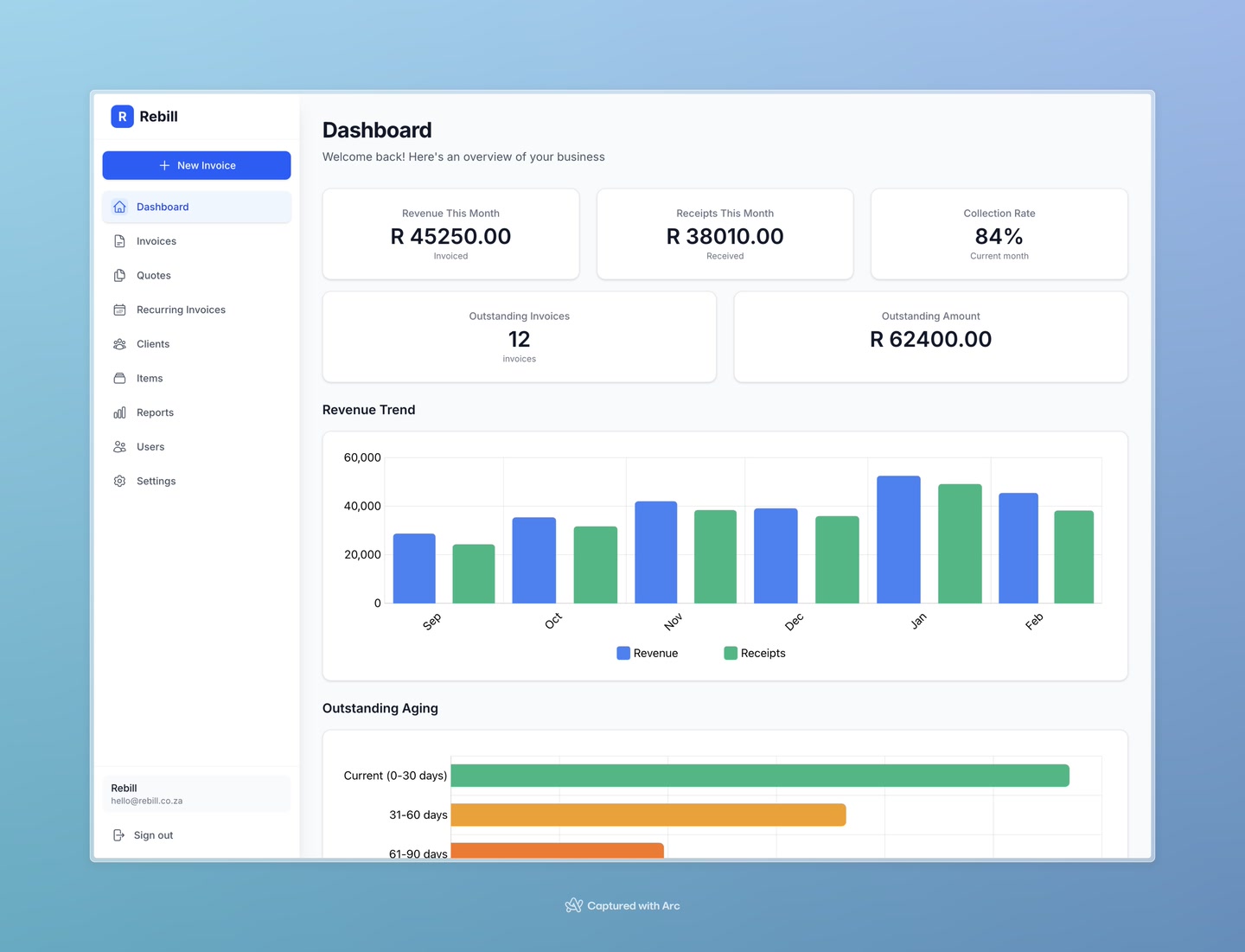
The dashboard is the first thing you see when you log in. It gives you an instant snapshot of how your business is performing — how much you've invoiced, how much you've collected, and what's still outstanding.
The numbers at the top
There are five key figures shown at the top of your dashboard:
- Revenue This Month — the total value of all invoices you created this month, regardless of whether they've been paid yet.
- Receipts This Month — the total amount of money you've actually received this month (recorded payments on invoices).
- Collection Rate — the percentage of invoiced money you've collected. A higher number means you're collecting what you're owed more efficiently. For example, 80% means you've collected 80 cents of every rand you've invoiced.
- Outstanding Invoices — the number of invoices that haven't been fully paid yet.
- Outstanding Amount — the total rand value of all unpaid invoices combined.
Multiple currencies
If you invoice clients in more than one currency (e.g. ZAR and USD), each currency's figures are shown separately. You'll see stacked amounts for each.Revenue Trend chart
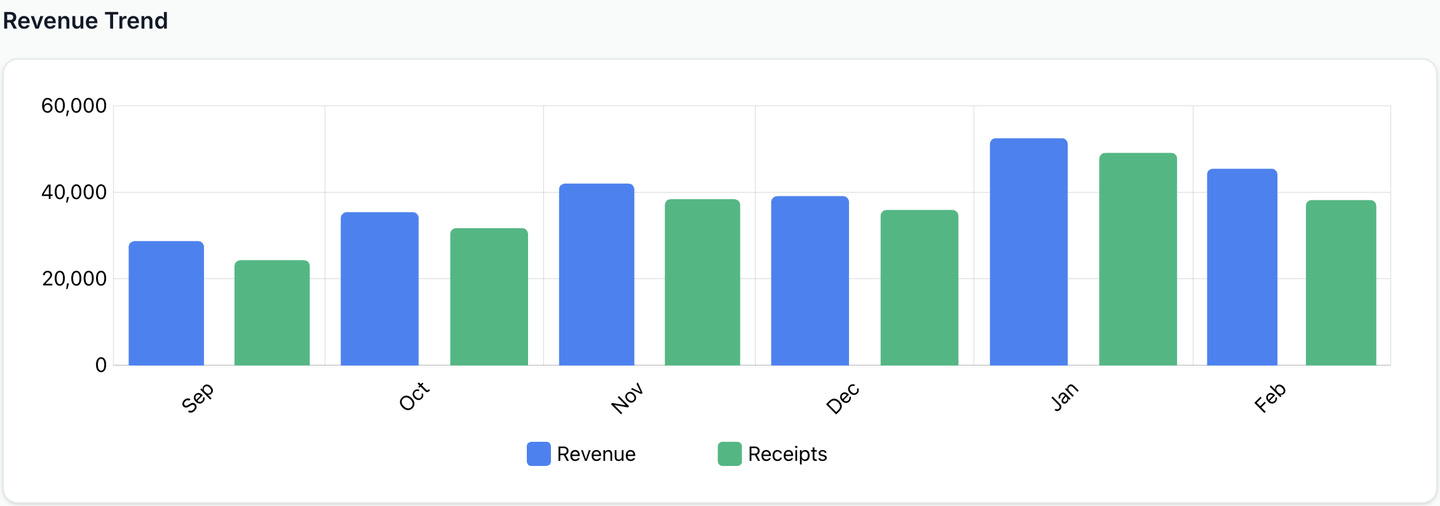
The bar chart below the stats shows your revenue over the past several months. Each bar represents one month — the height shows how much money came in. This helps you spot patterns like seasonal dips or whether your revenue is growing over time.
Outstanding Aging chart
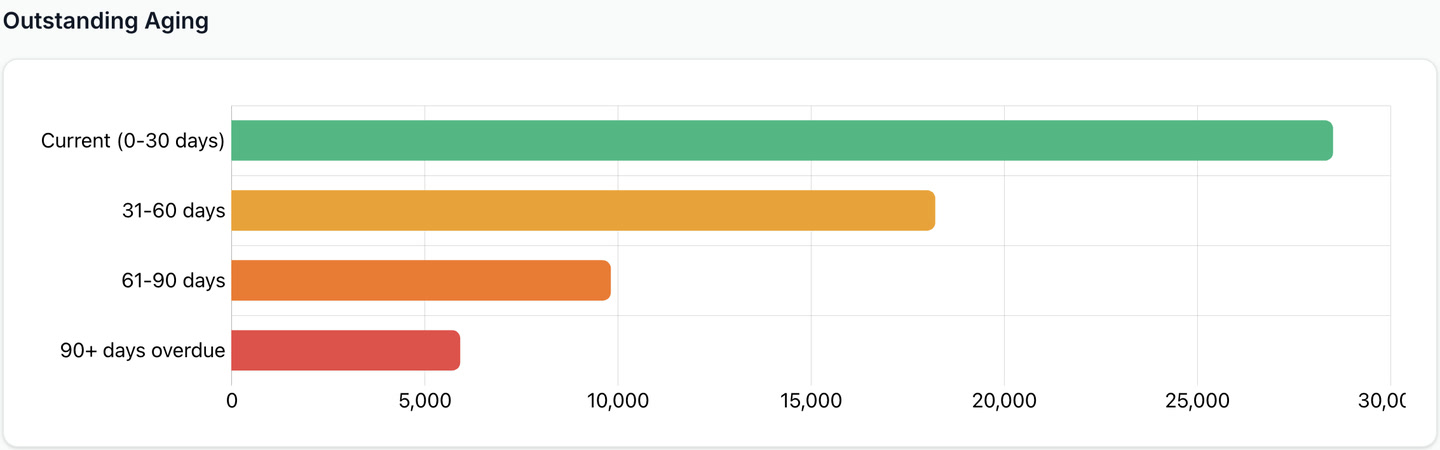
The aging chart groups your unpaid invoices by how overdue they are:
- Current (0–30 days) — invoices that are within their payment terms, or only slightly overdue. These are the easiest to collect.
- 31–60 days — invoices that are getting old. A gentle follow-up is usually enough.
- 61–90 days — invoices that need attention. Consider sending a firm reminder.
- 90+ days — invoices that are seriously overdue. You may want to follow up by phone or escalate collection.
The bigger the bar in the older buckets, the more urgently you need to chase payments.