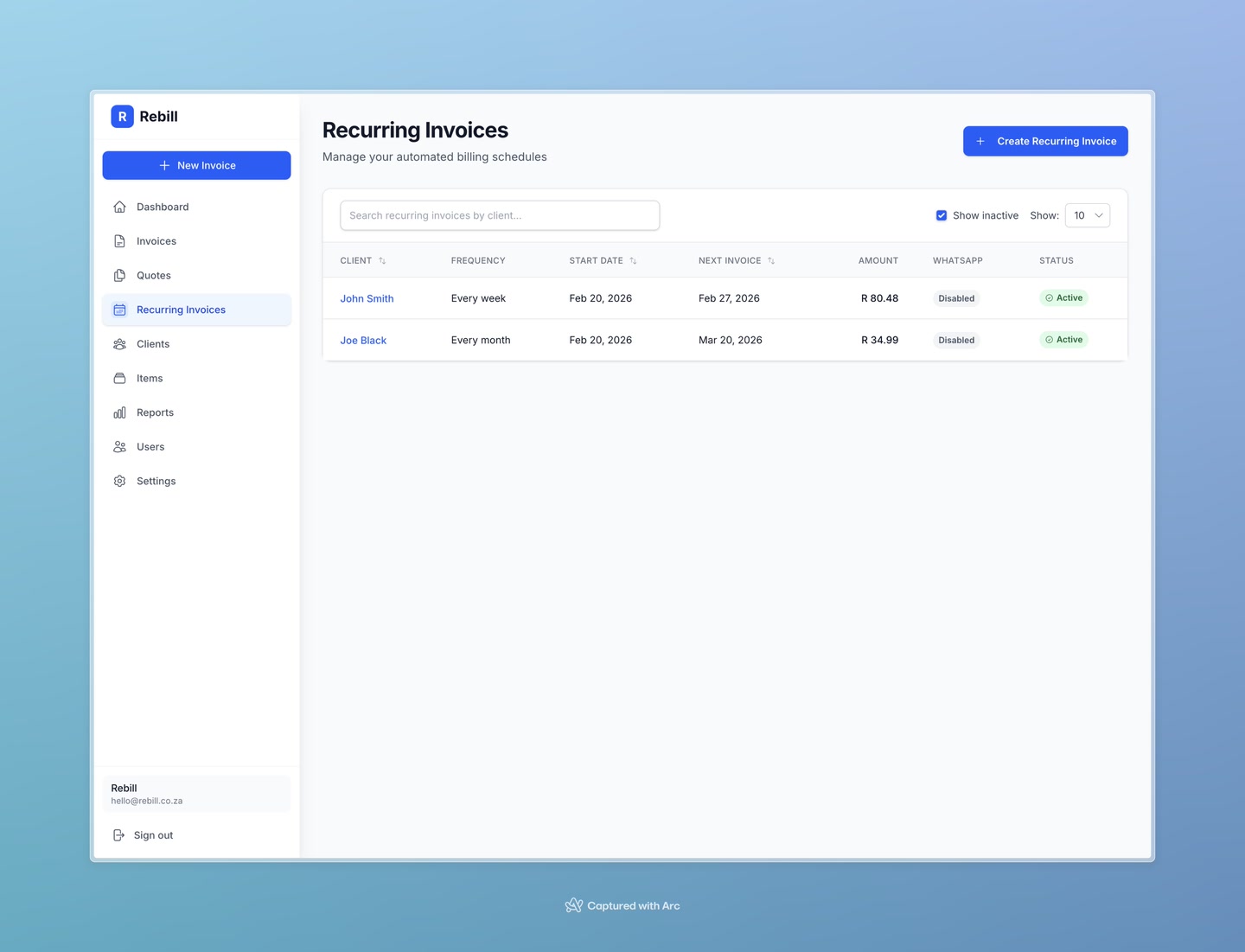
Once your recurring invoices are running, you can manage them all from the Recurring Invoices page. You can pause them temporarily, make changes, or stop them completely.
Pausing a recurring invoice
- 1
Open the recurring invoice
Go to Recurring Invoices and click on the one you want to pause.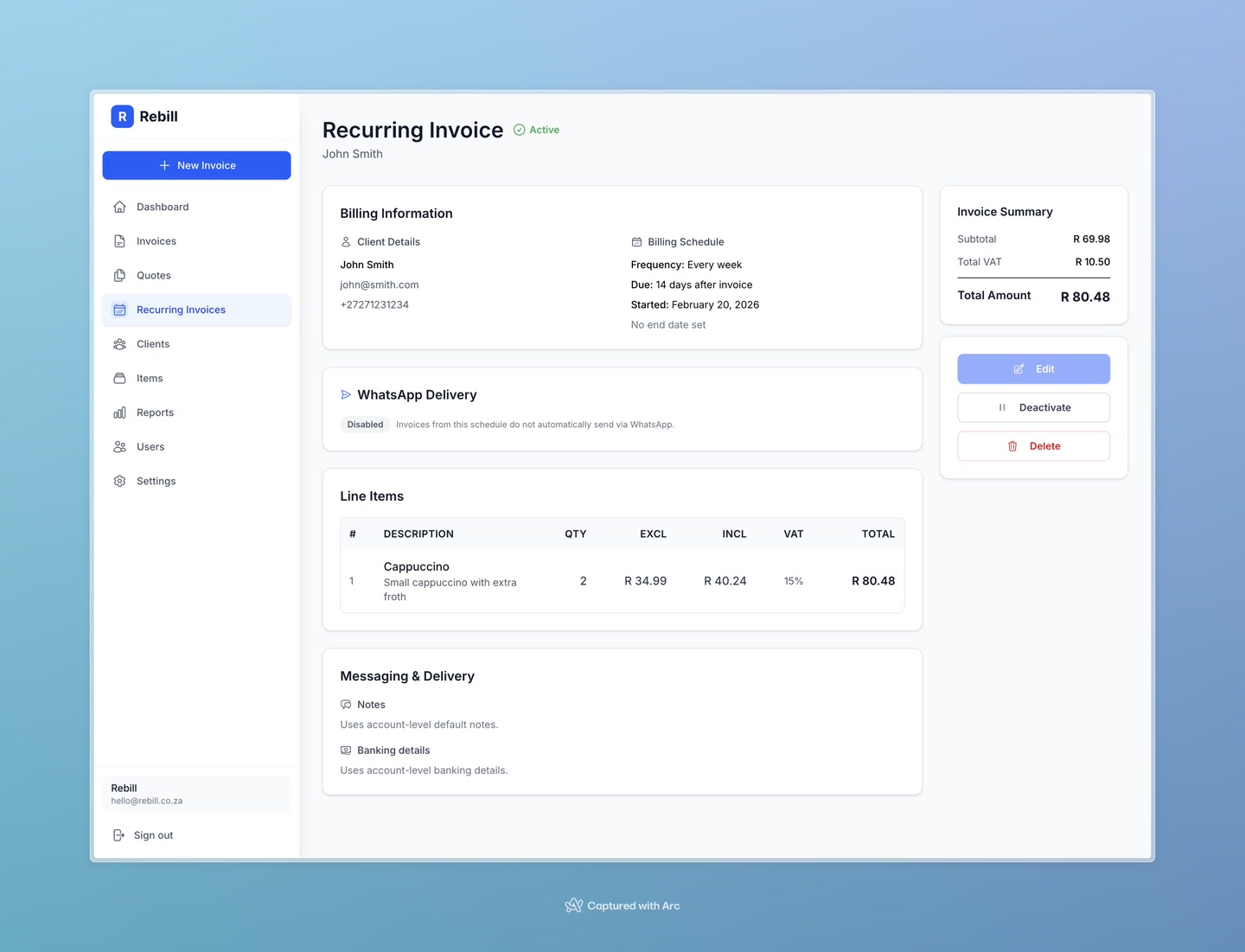
- 2
Click "Deactivate"
In the sidebar on the right, click the red "Deactivate" button. The schedule will pause and no further invoices will be generated until you reactivate it.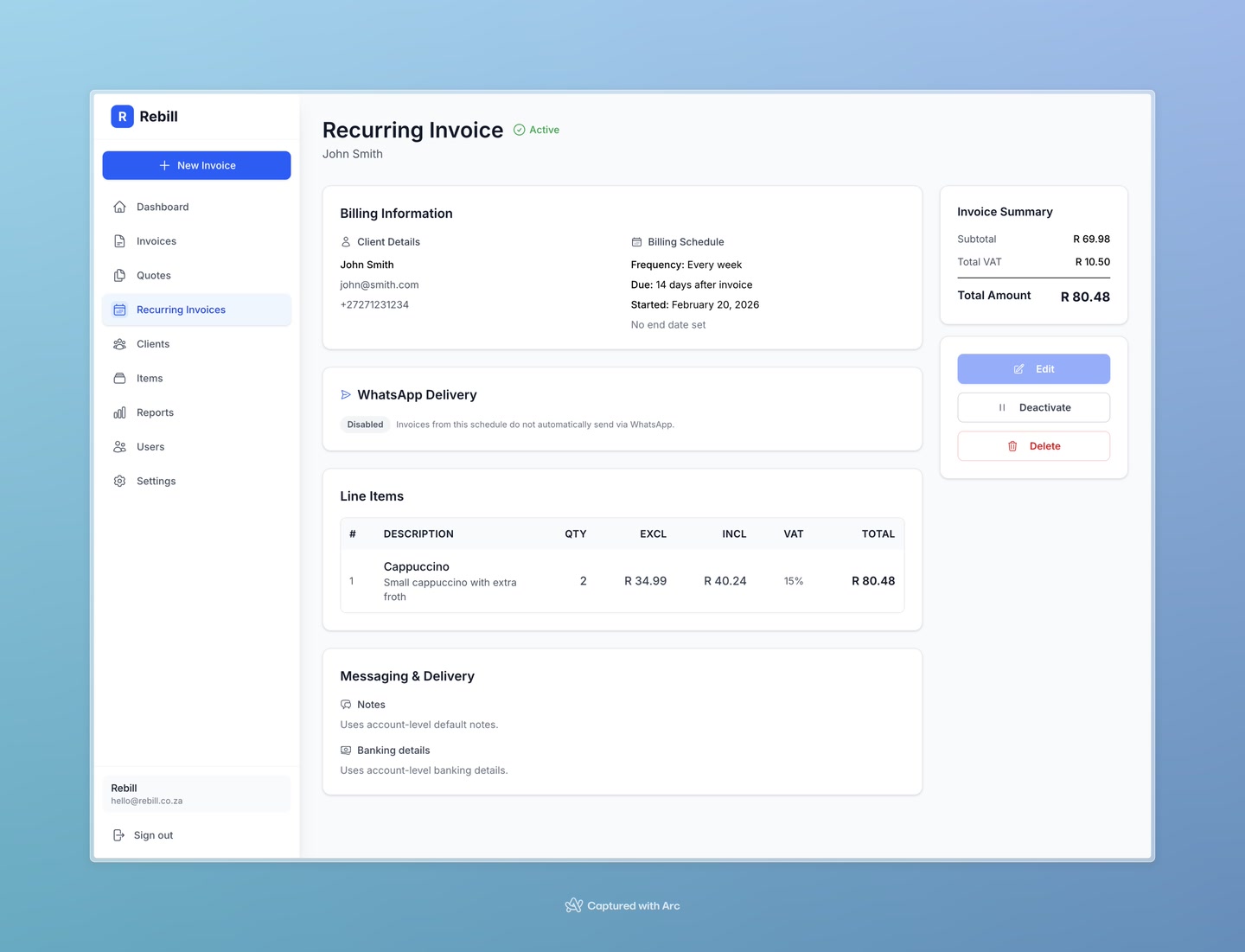
Reactivating a paused schedule
To restart a paused recurring invoice, open it and click the green "Activate" button. Rebill will resume sending invoices from the next scheduled date.
Editing a recurring invoice
Note
You can only edit a recurring invoice while it is inactive. To make changes: deactivate it first, edit it, then reactivate it.Deleting a recurring invoice
To permanently remove a recurring invoice schedule, open it and click the red "Delete" button in the sidebar. This removes the schedule but does not affect any invoices that have already been generated.
Important
Deleting a recurring invoice cannot be undone. The schedule and its settings will be permanently removed.