The Client Revenue Report shows you how much revenue each of your clients has generated over a time period. It helps you understand who your most valuable clients are and how your revenue is distributed.
Opening the report
- 1
Go to Reports → Client Revenue Report
Click Reports in the left sidebar, then click "Client Revenue Report".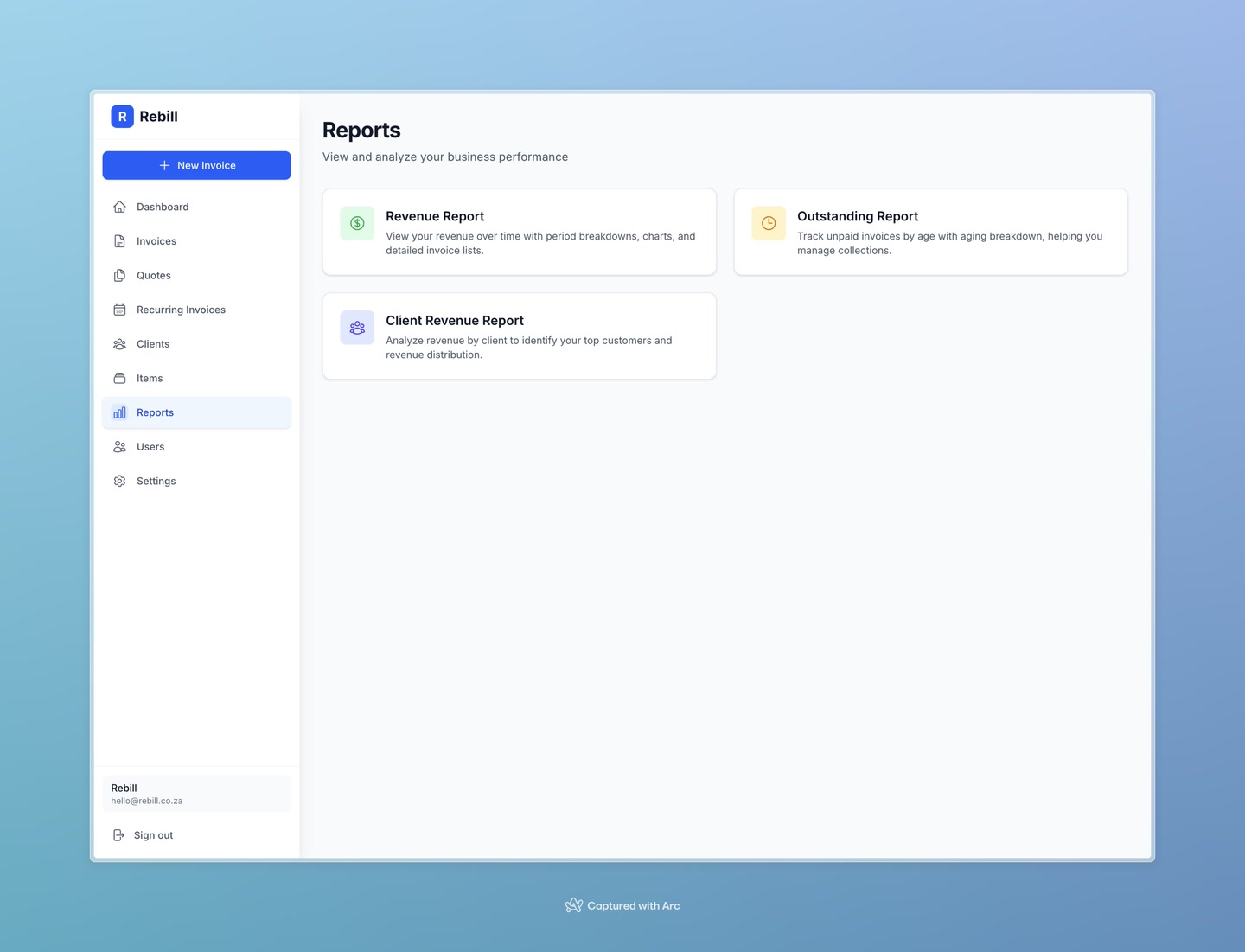
Setting the date range
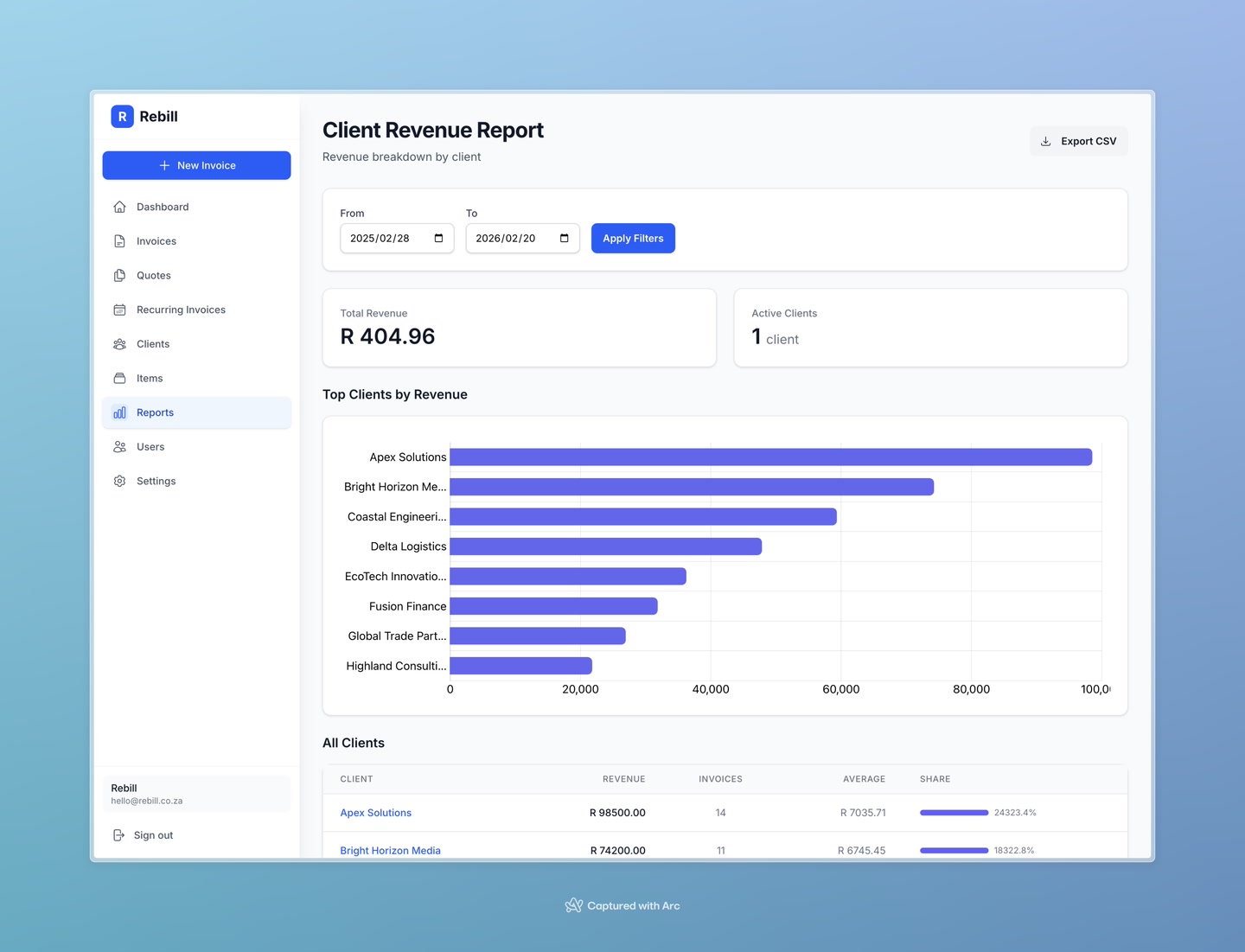
Use the Filters at the top to set a date range, then click "Apply Filters".
Reading the report
The report has three sections:
- Summary stats — Total Revenue and the number of Active Clients in the period
- Top Clients chart — a bar chart of your top 10 clients by revenue, so you can instantly see who your biggest spenders are
- All Clients table — every client listed with their total revenue, number of invoices, average invoice value, and Revenue Share — a progress bar showing what percentage of your total revenue that client represents
Tip
Click a client's name in the table to go directly to their client page. Click "Export CSV" to download the data as a spreadsheet.