WhatsApp credits allow you to send invoices directly to your clients' WhatsApp. Each message costs one credit. Credits are available to Premium plan users.
Checking your balance
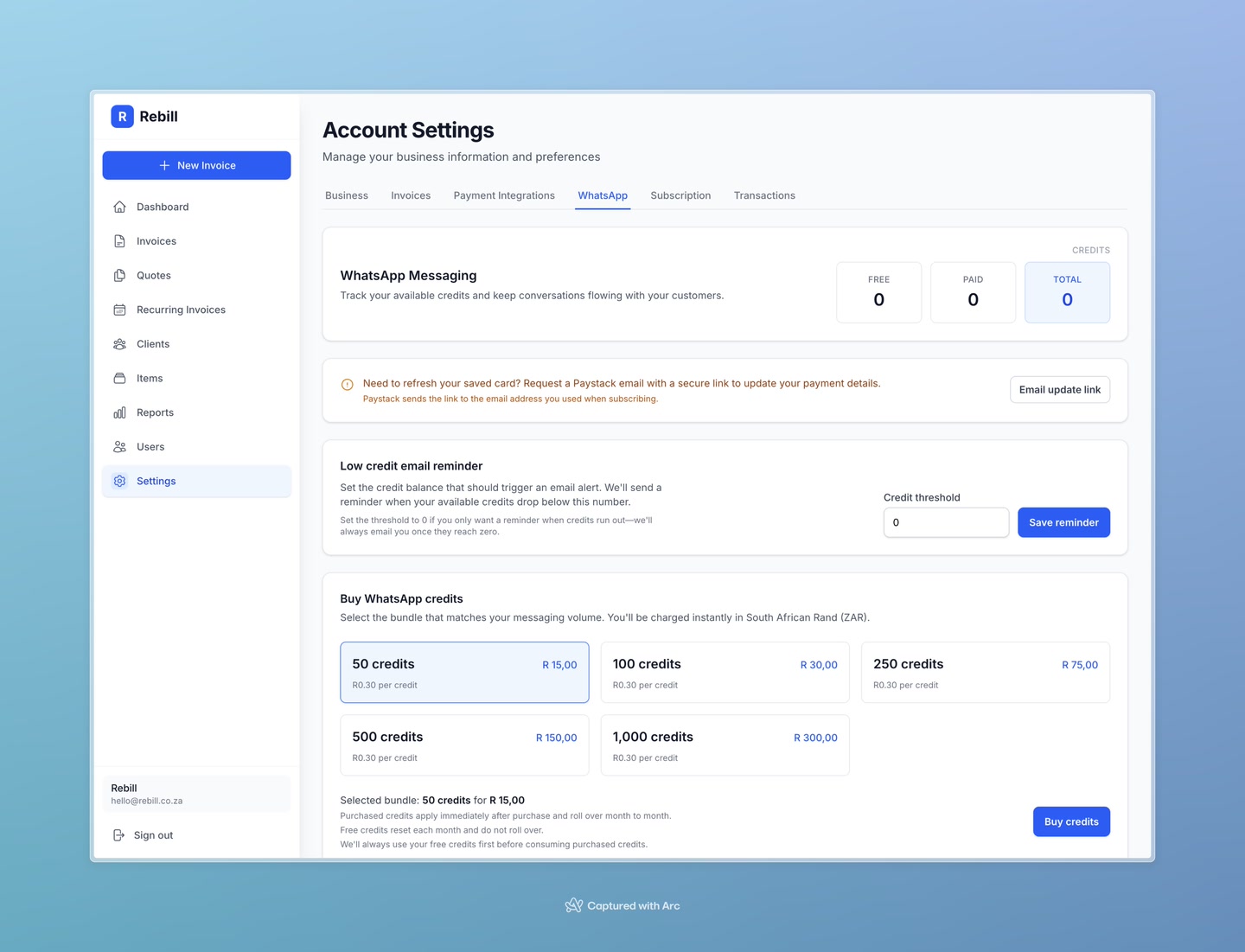
Go to Settings → WhatsApp. Your current credit balance is shown at the top — split into Free Credits (given when you first sign up) and Paid Credits (credits you've purchased).
Buying credits
- 1
Go to Settings → WhatsApp
Click Settings in the sidebar, then click the WhatsApp tab. - 2
Choose a bundle
Select a credit bundle from the dropdown. Available sizes are 50, 100, 250, 500, and 1,000 credits. The price for each bundle is shown.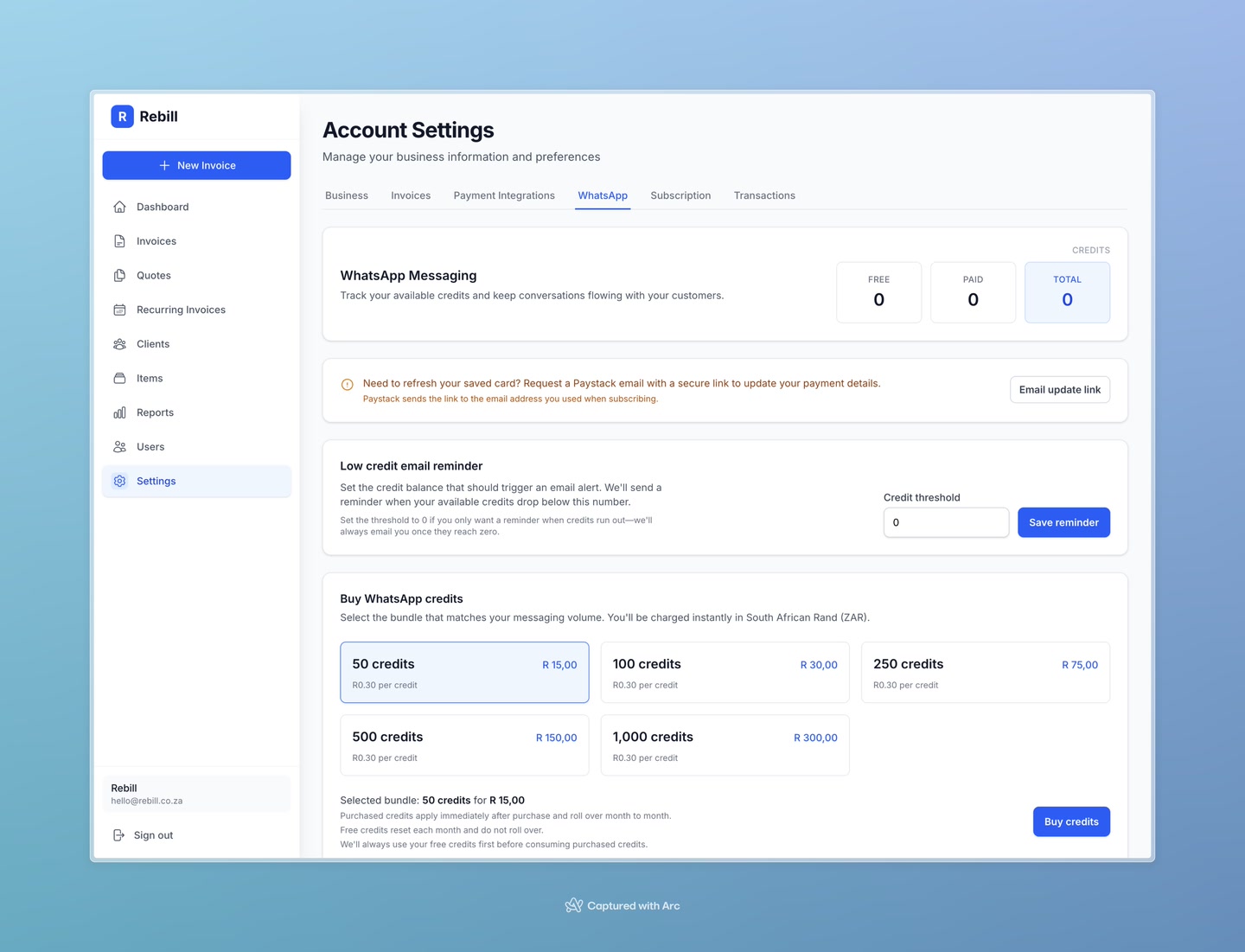
- 3
Click "Buy credits"
A payment window will open (via Paystack). Complete the payment and your credits will be added to your account immediately.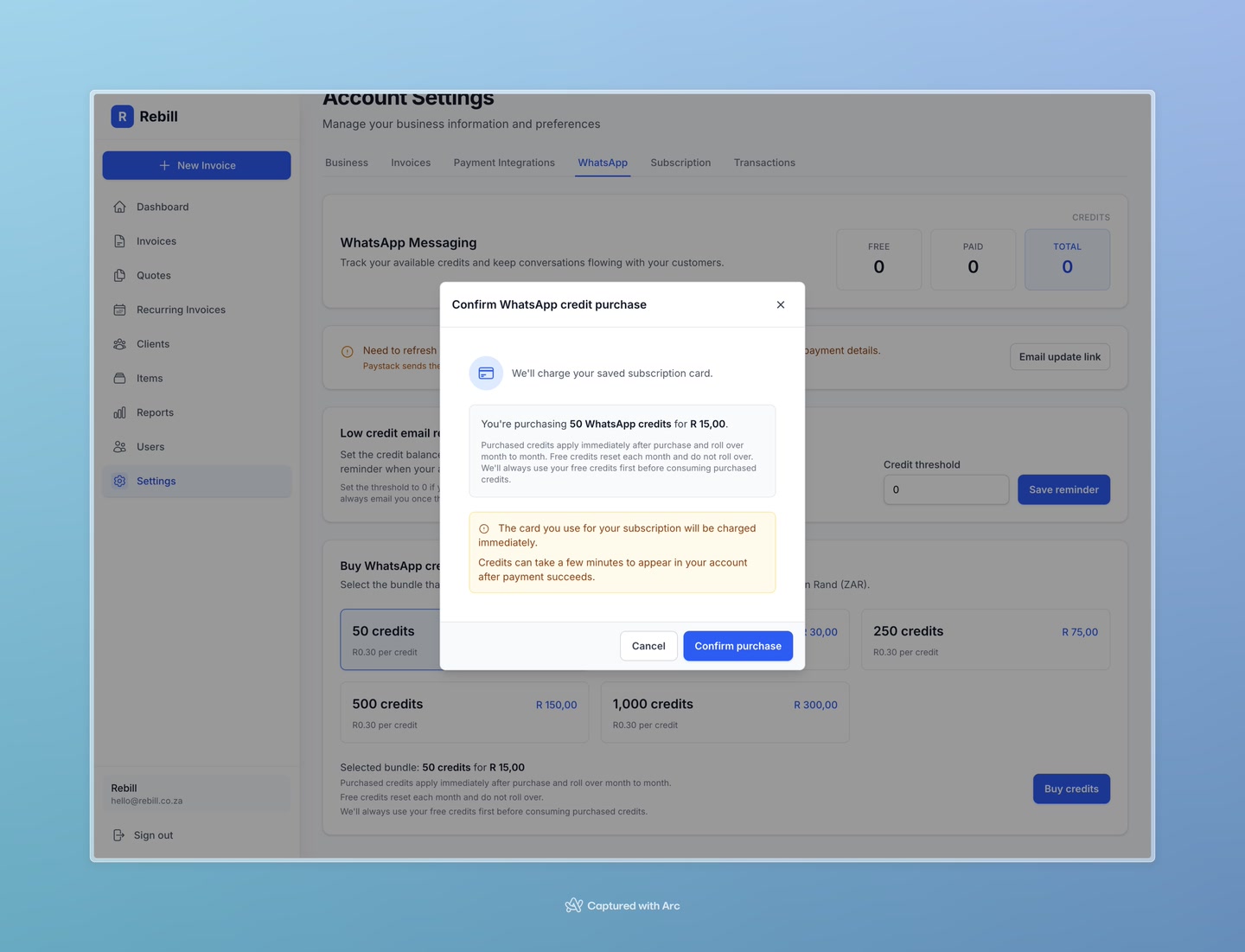
Tip
Credits never expire — buy in bulk to save yourself from running out at a critical time.Low balance reminder
You can set a threshold in the WhatsApp settings so Rebill notifies you when your credit balance drops below a certain number. This way you won't run out unexpectedly.